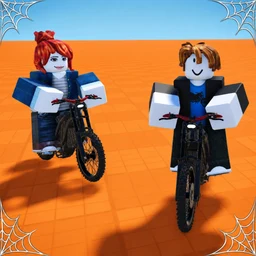
New to Bike Universe? Learn the three bike classes, how wheelies pay, what to skip in hour one, and the habits that make the first 10,000 cash easy.
Bike Universe Beginner Guide: Your First Hour
Bike Universe gives you six verbs and one job: ride, hold wheelies, land tricks, collect bikes, tune them, and race. The store description spells out exactly those six lines and nothing more, which is why the first hour is easy to get right and easy to waste. Spend it learning how the bike balances and how cash accumulates, not on the store.
What the Game Actually Tells You
The official description, verbatim, is the whole tutorial the game ships:
- Ride bikes around the map.
- Collect many new bikes across three classes: dirt, electric and pedal.
- Earn money from riding, wheelies and tricks.
- Tune and customise your bike.
- Race your friends.
- Supports desktop, console, mobile and tablet.
Six lines, six systems, no numbers. There is no published price list, no stat sheet, no level track and no badge list, because the game has zero badges. So the first hour is not about following a quest line. It is about building habits that the game will reward for the next twenty hours.
Step 1: Pick a Class, Not a Bike
Three classes exist, and the game names them without ranking them. What each one means in motorcycle terms:
| Class | What it is | What that implies in play |
|---|---|---|
| Dirt | Off-road motorcycle with long suspension | Built for jumps and uneven ground, so tricks and hard landings are its home |
| Electric | Battery-driven, instant torque | Throttle response is immediate, which makes low-speed wheelies easier to time |
| Pedal | Human-powered bicycle | Lightest and slowest of the three, and the only class that rewards route knowledge over raw power |
Those are facts about the machines, not the game's hidden stats. The one hard data point the developer has given is inside a gamepass: Surge Electric, 399 Robux, described as "Grants you the stark varg in game." The Stark Varg is a real electric motocross bike, so the paid electric option is modelled on a specific machine rather than a generic scooter.
If you have not read the class breakdown yet, the bikes guide goes deeper. For hour one, the practical rule is simpler: take whatever the game starts you on, and do not buy a second bike until you can hold a wheelie on the first one.
Step 2: Learn the Wheelie Before You Learn the Map
Money comes from riding, wheelies and tricks, in that order of reliability. Riding pays for existing. Wheelies and tricks pay for control, and control is the only skill this game asks you to develop.
The method that works in every bike sim, including this one:
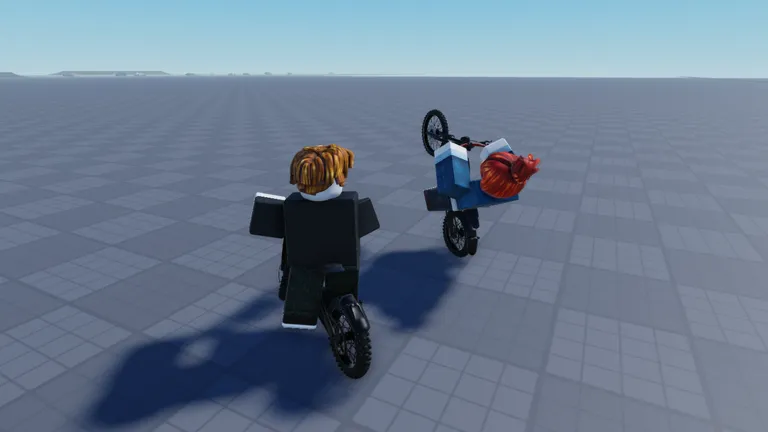
- Find flat ground with a long straight ahead. The official screenshots show exactly that kind of open grid, so it is the terrain the developers themselves test on.
- Get moving at a moderate speed, not top speed. At top speed you run out of road before you run out of wheelie.
- Pull back and hold acceleration together, then release the pull. Keep the throttle steady while the front wheel is up.
- When the bike starts to fall, tap the brake rather than releasing the throttle completely. Cutting throttle drops the nose hard; braking brings it down in control.
- Repeat in the same spot until you can hold it for a count of three. Then take it somewhere with traffic and corners, where it actually pays.
Do not chase a big jump yet. A landing you can ride away from beats a jump you cannot, and the physics punishes a bad landing by killing your run.
Pick a single thing to practise per session: wheelie length, landing angle, or corner exit. Players who chase all three at once spend the hour falling and then blame the bike.
Step 3: Build the Cash Habit
Your first purchases should be boring. Cash goes into the bike you already own until it stops being the limiting factor, and the way to know it is limiting you is to measure, not to guess.
The beginner version of the measurement:
- Note your cash.
- Ride a loop for five minutes without stopping to shop or to chase a trick you cannot land.
- Note your cash again and divide by five.
That number is your real rate, and it is the only number that matters when a bike or an upgrade tempts you. If a purchase costs twenty minutes of your rate, you know it. The money guide has the full version, including how to work out whether 2X Cash pays for itself.
Until your rate is stable, spending on anything cosmetic is spending on nothing.
Step 4: What to Skip in Hour One
- Gamepasses. All six together cost 1,785 Robux, and five of the six have empty store descriptions. You cannot judge them yet, and the game does not need them to be playable.
- Colour work. The 240 Robux Color Wheel Customisation is a paint tool. Paint does not change how the bike lands.
- Racing. Racing friends is a listed feature with no lobby system, so early races are informal and usually unfair. Get control first.
- Server hopping for a "better" map. Bike Universe runs 20-player servers, the largest in its corner of the Roblox bike scene. A fuller server is a better server here, because there is more to watch and more to race.
Step 5: Set Up for Your Platform
The game supports desktop, console, mobile and tablet, and the control schemes differ enough that a desktop habit will not transfer directly to a phone.
- Desktop: keyboard and mouse. Learn the brake key early; most wheelie failures are a throttle problem that a brake tap would have fixed.
- Console: the controller triggers make throttle modulation easier than a keyboard, which is a genuine advantage for holding a wheelie.
- Mobile and tablet: on-screen steering makes fine throttle control harder, so practise on a long straight before attempting corners. If your device stutters, the game's own Roblox settings menu is the place to lower graphics before blaming the server.
If Roblox itself is the problem rather than the game, the official hardware requirements are worth a read before you blame the experience.
The First-Hour Checklist
| Minute | Do this | Skip this |
|---|---|---|
| 0 to 10 | Ride the starting bike, learn the map edges | Shop, gamepasses |
| 10 to 25 | Practise wheelies on flat ground | Jumps, races |
| 25 to 40 | Ride a clean loop and measure your cash per minute | Cosmetics |
| 40 to 55 | Spend on the first real upgrade for your class | A second bike |
| 55 to 60 | Join a fuller server and try one informal race | Buying Robux |
Official source: Bike Universe on Roblox, description and store read on October 24, 2026, plus the Bike Universe group.
FAQ
How much cash do you earn per minute in Bike Universe? The game does not publish a rate, and it changes with your bike and your riding. Measure it yourself: cash after five minutes of riding, divided by five.
Which bike should a beginner buy first? None. Ride the starting bike until you can hold a wheelie and your cash rate is stable, then buy inside the class you already understand.
Is Bike Universe pay to win? The store sells six gamepasses including 2X Cash, so money buys speed of progress. Nothing in the description sells control, and control is what wins races.
Does it work on mobile? Yes. Desktop, console, mobile and tablet are all listed as supported. Mobile is the hardest of the four for wheelie control.
Related Guides
- Bike Universe bikes — the three classes and how to pick a first bike without a price list.
- Bike Universe money guide — measuring your rate and deciding when 2X Cash is worth it.
- Bike Universe tricks — wheelie timing, practice spots and the mistakes that cost you runs.
More Bike Universe Guides
All six Bike Universe gamepasses with official prices, the one description the developer wrote, and which ones are worth 1,785 Robux in total.
Bike Universe lists racing friends as a core feature but ships no lobby. How to set up fair races in a 20-player server, pick a bike class, and settle winners.
Bike Universe passed 14 million visits in four weeks with an 83.9% rating. What the game does well, what is still missing, and who should skip it.